¶ Lines (Database | Dynamic Message Signs | Lines)
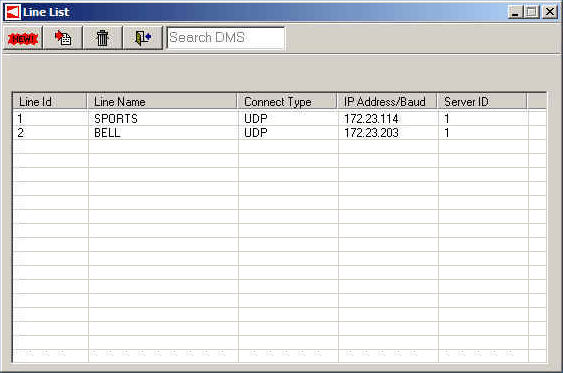
The DMS Line List displays the defined DMS lines. The user defined parameters of line name, connection type, IP address, and server ID are shown.

¶ Line List Parameters
The Line List form displays a number of important parameters for each DMS Line in the list.
| Parameter | Description |
| Line ID | displays the ID that is automatically assigned to a DMS Line when it is defined. |
| Line Name | displays the name of the DMS Line. |
| Connect Type | displays the communication type of the Line. |
| IP Address/Baud | displays the first three octets of the IP Address. The final octet is specified for the individual signs on that Line. |
| Server ID | displays the ID of the DMS server. |
¶ Edit Line Definition
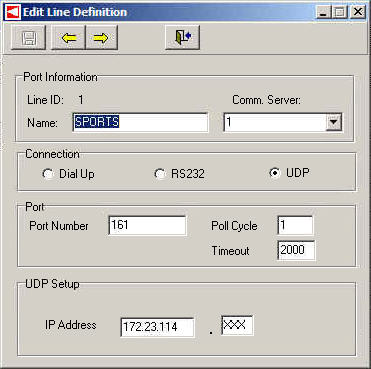
The user is able to define new lines as well as edit previously defined lines in the Edit Line Definition form. To do so, click the New button or select an existing Line and click the Edit button on the Line List form.

| Parameter | Description |
| Port Information | allows the user to enter the Line Name and specify which Comm Server it belongs to. |
| Connection | allows the user to specify the communication type of the Line. |
| Port | allows the user to enter the Port Number for the Line, the Timeout, and the Poll Cycle. |
| UDP Setup | allows the user to enter the first three octets of the IP Address for UDP Lines. |