¶ Scenarios (Database | Dynamic Message Signs | Scenarios)
A DMS Scenario is a unique grouping of user defined messages by sign. Scenarios are used to perform group messaging to signs within a section through the Special Event Schedule.
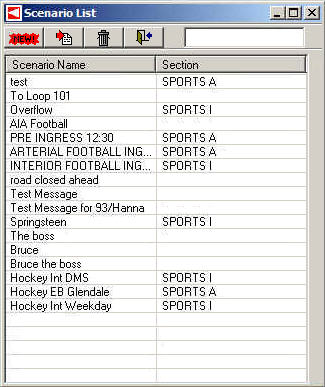
The Scenario List displays the name and DMS section for each defined scenario. Buttons at the top of the form allow the user to add, edit, or delete a scenario.

¶ Scenario Edit Definition
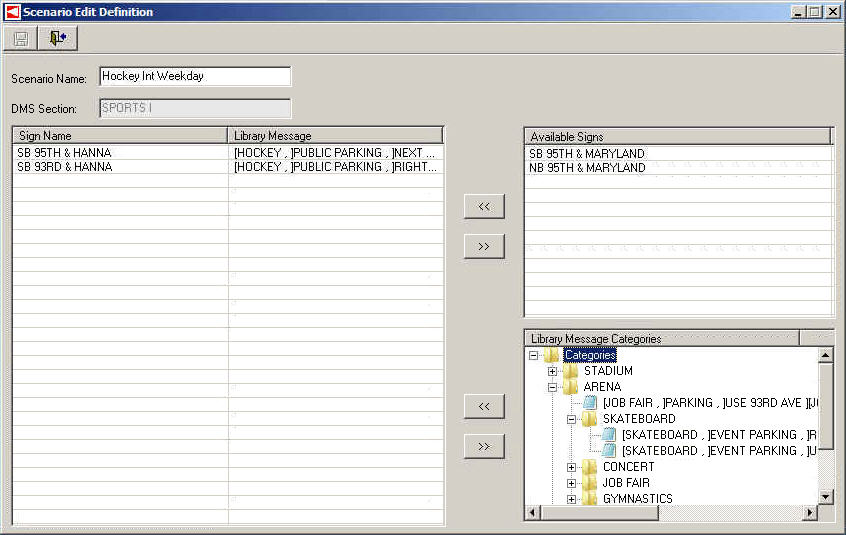
The Scenario Edit Definition form allows the user to name a scenario, add or remove dynamic message signs to the scenario, and assign messages to each sign utilized in the scenario. To open this form, either click the New button and select a Section or select a Scenario and click the Edit button on the Scenario List form.

These are the steps required to define a DMS Scenario:
- Enter a name for the Scenario in the Scenario Name field.
- Highlight each Sign to be included in the Scenario and click the left arrow button (the top one) to add it to the list of Scenario signs.
- Select a Sign from the main list of Scenario Signs. Then select a desired Message from the list of Library Messages and click the left arrow button (the bottom one) to assign that message to the selected Sign.
- If a Sign or Message needs to be removed, select that row in the list and click the appropriate right arrow button.
- Click the Save button to save changes.